How to watch multiple videos at once on a Mac
Updated November 6, 2026
macOS has no built-in way to play several videos at the same time in one window. QuickTime opens one video per window, and arranging a handful by hand gets old fast. Here are the three ways people actually do it, and the one that is built for the job.
Why you would want to
- Review a folder of clips, like stock footage, B-roll, drone shots, or screen recordings, and find the keepers without opening files one at a time.
- Compare takes or camera angles side by side.
- Sample a large library quickly by shuffling through it.
- Let a wall of video play in the background.
Option 1: QuickTime Player (built in, free)
QuickTime opens one video per window. Open several files, then drag and resize the windows into a rough grid yourself. It is fine for comparing two or three clips, but nothing keeps the windows aligned, each one has its own controls, and there is no way to swap clips in and out or shuffle. For a whole folder, it is tedious.
Option 2: VLC or IINA (free)
Both can run several windows at once, with the same manual arranging. VLC handles a few comfortably and gets heavy past that. Neither has a grid, a shuffle, or a way to mark the clips you want to keep.
Option 3: a video grid player (VidViewer)
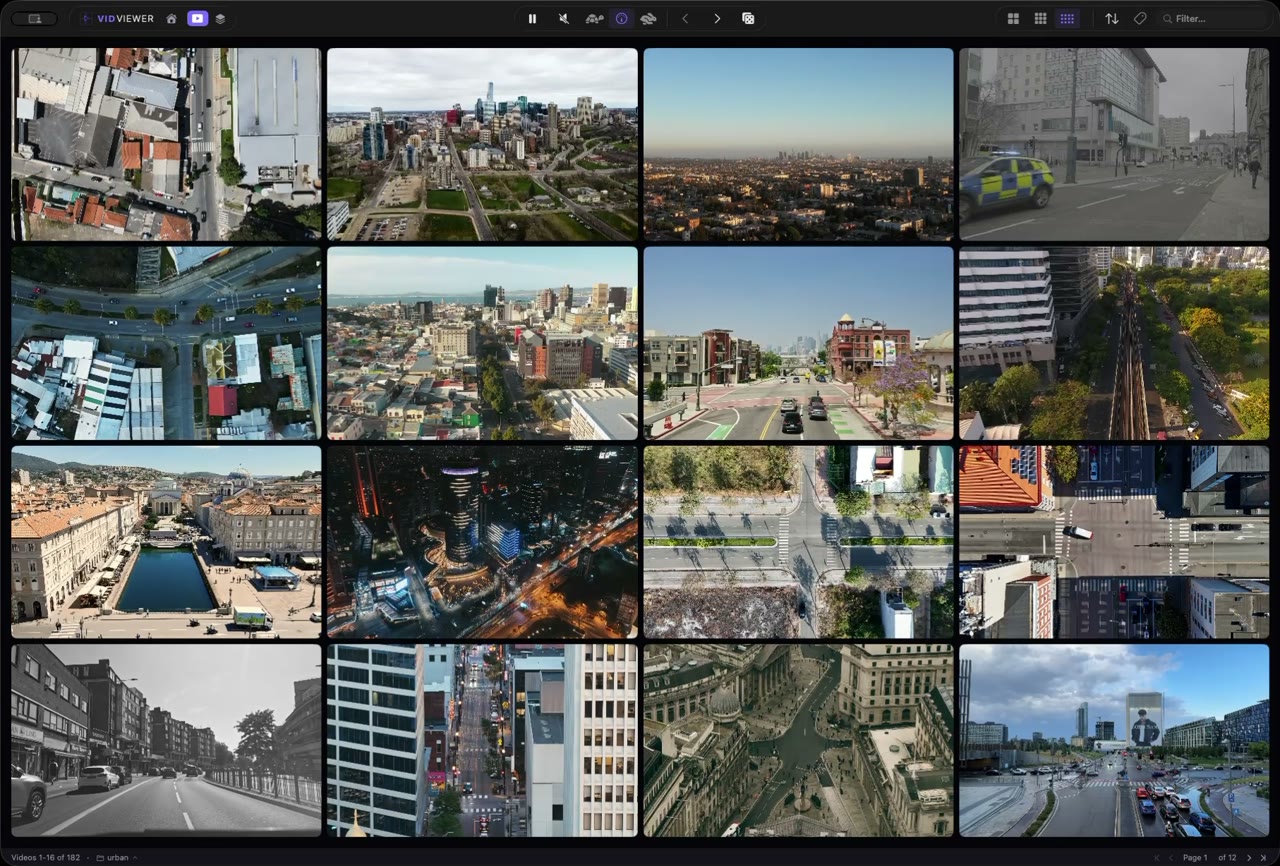
VidViewer is a native macOS app made for exactly this. Drop a folder on it and it plays 4, 9, or 16 clips at once in a grid that autofits to what you dropped in. Expand any clip full screen, shuffle a big library, run a hands-free slideshow, and mark picks, rate, tag, and export the keepers. It runs entirely on your Mac, with no cloud and no accounts, for 4.99 USD one time on the Mac App Store.
Step by step
- Get VidViewer. Install VidViewer from the Mac App Store. It is a one-time 4.99 USD purchase with no subscription.
- Drop in a folder. Drag a folder of videos onto the VidViewer window, or open a playlist. It scans the folder and keeps watching it for new files.
- Pick a grid size. Choose 4, 9, or 16. Every clip starts playing at once, and the grid autofits to whatever you dropped in.
- Expand, shuffle, or run a slideshow. Click any clip to expand it full screen, press R to shuffle a fresh set, or start Slideshow mode to auto-cycle the grid hands-free.
- Keep the good ones. Press P on the keepers, rate them 1 to 5 stars, then export them or save the whole setup as a Collection.
Tips
- 4K plays in every grid size on Apple Silicon. On an older or base Mac, a 4 or 9 grid is the lightest.
- Mute everything, or right-click one cell to unmute just that clip.
- Hold Command over a cell to scrub through it without leaving the grid.
- Formats: MP4, MOV, M4V, MKV, and WebM, with H.264, HEVC, VP9, AV1, or ProRes. Older formats like DivX and Xvid AVIs are converted once in the background.
- Playlists: open M3U, M3U8, XSPF, or PLS files straight into the grid.
Quick answers
Can I watch 16 videos at once on a Mac?
Yes, with VidViewer. QuickTime and VLC can open several windows, but you arrange them by hand, and they top out at a few clips before it gets unwieldy.
Does it work with 4K video?
Yes. 4K plays in every grid size on Apple Silicon. On an older or base Mac, a 4 or 9 grid is the lightest.
Is there a free way to do this?
QuickTime Player and VLC are free, but each video gets its own window that you position yourself. VidViewer is 4.99 USD one time, with no subscription, and is built for the grid.
Does VidViewer upload anything?
No. It runs entirely on your Mac, with no cloud, no accounts, and no network calls.